Blue Cross (Asia-Pacific) Insurance Ltd

Citibank

HSBC

Prudential General Insurance Hong Kong Limited

Trip.com
The promotion offers below are provided by Blue Cross (Asia-Pacific) Insurance Limited ("Blue Cross").
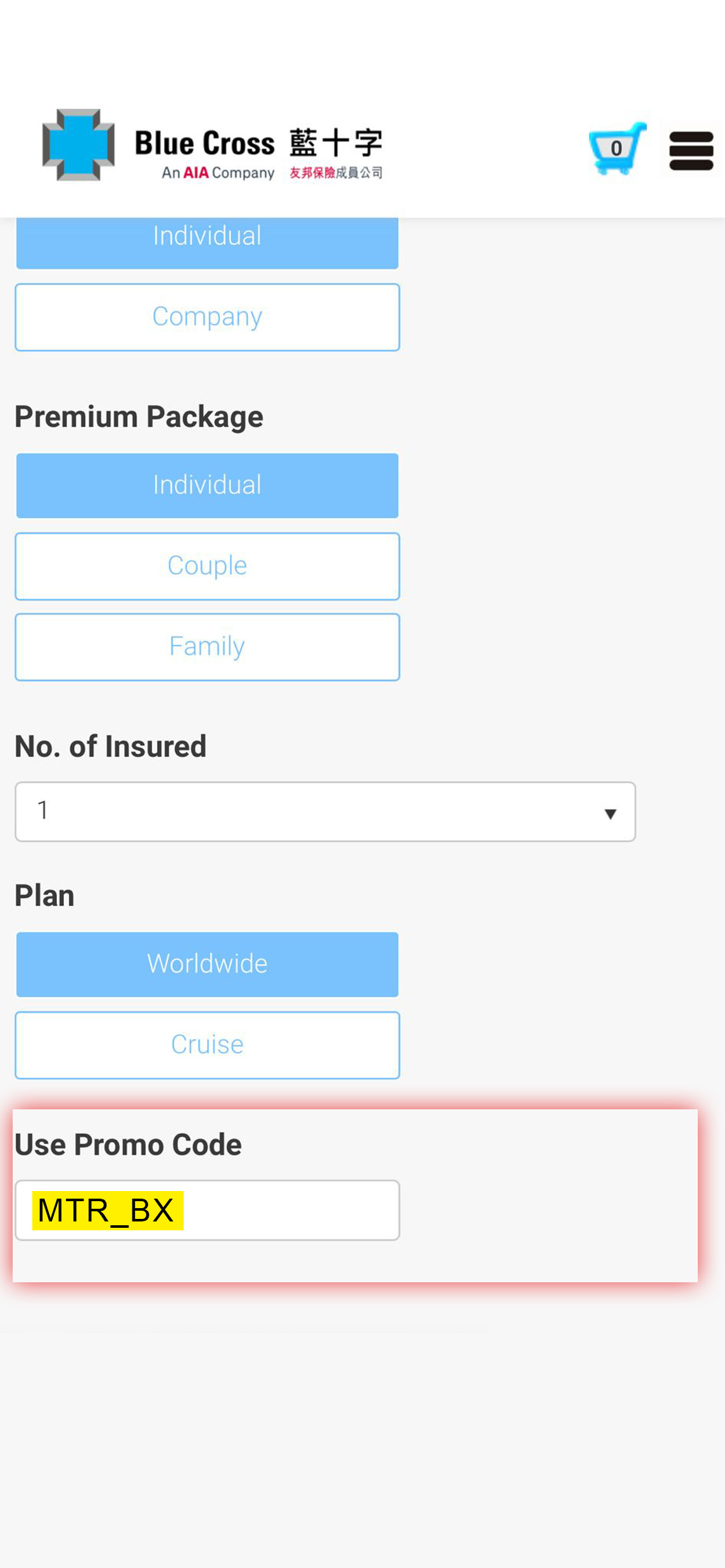
From now until 31 December 2026, Blue Cross is offering exclusive insurance promotions to MTR Mobile members! Simply click the links below or enter the promotion code "MTR_BX" directly on Blue Cross’ website when purchasing designated Blue Cross insurance products to enjoy premium discounts and MTR Points offered by Blue Cross.
1. Travel Smart - Single-trip Cover (Enjoy 35% premium discount and 4,000 MTR Points)
Click
here to discover more
2. Travel Smart - Annual Cover (Enjoy 25% premium discount and 20,000 MTR Points)
Click
here to discover more
3. MaidSafe Insurance (Plan A) (Enjoy 20% premium discount and 4,000 MTR Points)
Click
here to discover more
4. MaidSafe Insurance (Plan B and C) (Enjoy 45% premium discount and 10,000 MTR Points)
Click
here to discover more
5. HomeSafe Protection Insurance (Enjoy 25% premium discount and 10,000 MTR Points)
Click
here to discover more
6. DecorationSafe Insurance (Enjoy 15% premium discount and 20,000 MTR Points)
Click
here to discover more
7. SmartPro Drive Insurance (Enjoy 10% premium discount and 40,000 MTR Points)
Click
here to discover more
8. LovePet Insurance (Enjoy 5 / 10% premium discount and 20,000 MTR Points)
Click
here to discover more
MTR Points offered by Blue Cross can be redeemed after you complete your insurance purchase, using the redemption details contained in the confirmation email sent by Blue Cross.
Receive promotion offer on Blue Cross website
- 1
- Choose the relevant Blue Cross insurance product, fill in the required information, and apply the promotion code "MTR_BX" to receive the promotion offer
- 2
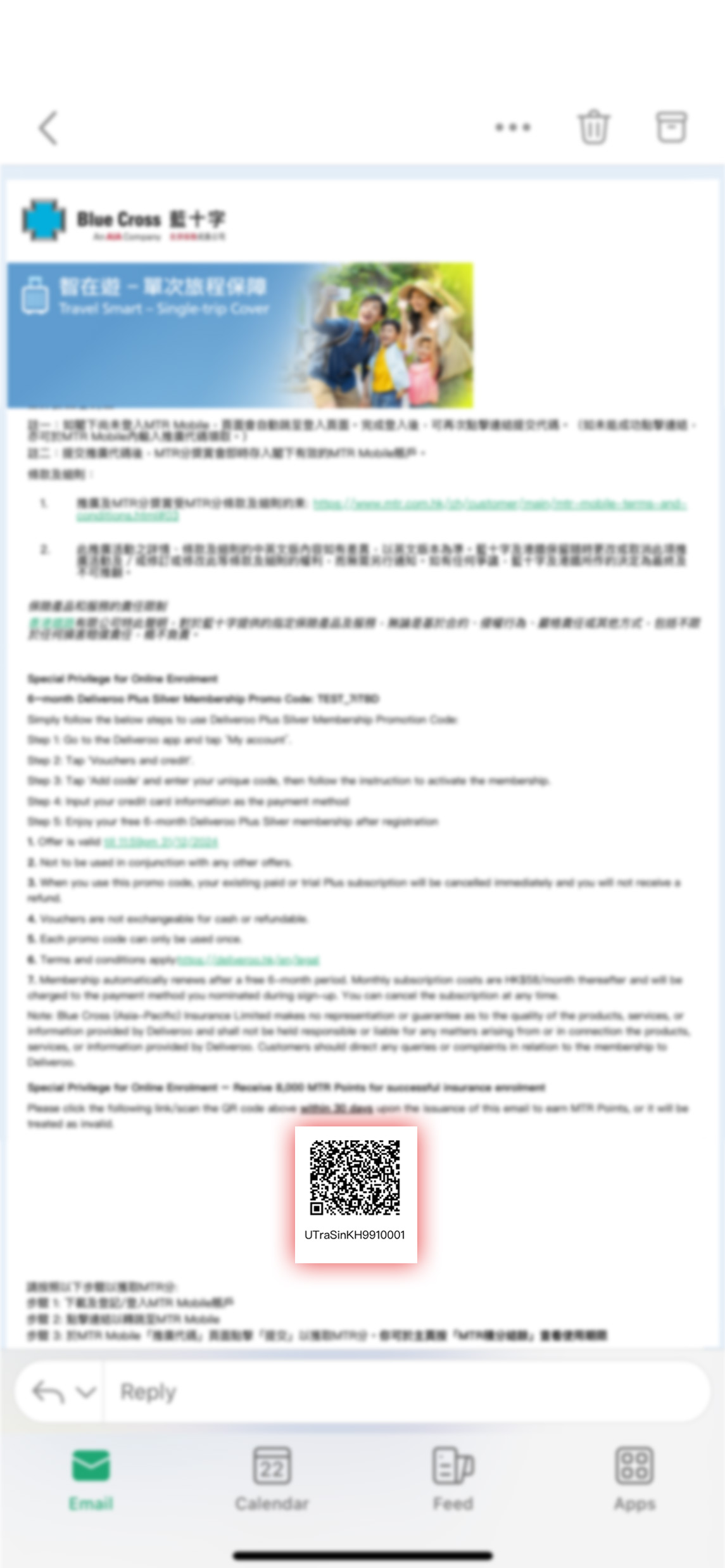
- Upon completing the purchase, you will receive a confirmation email from Blue Cross with details on how to redeem your MTR Points
Redeem MTR Points offered by Blue Cross on MTR Mobile
- 3
- Click the link / scan the QR code included in the confirmation email issued by Blue Cross to be redirected to the MTR Mobile MTR Points redemption page
- 4
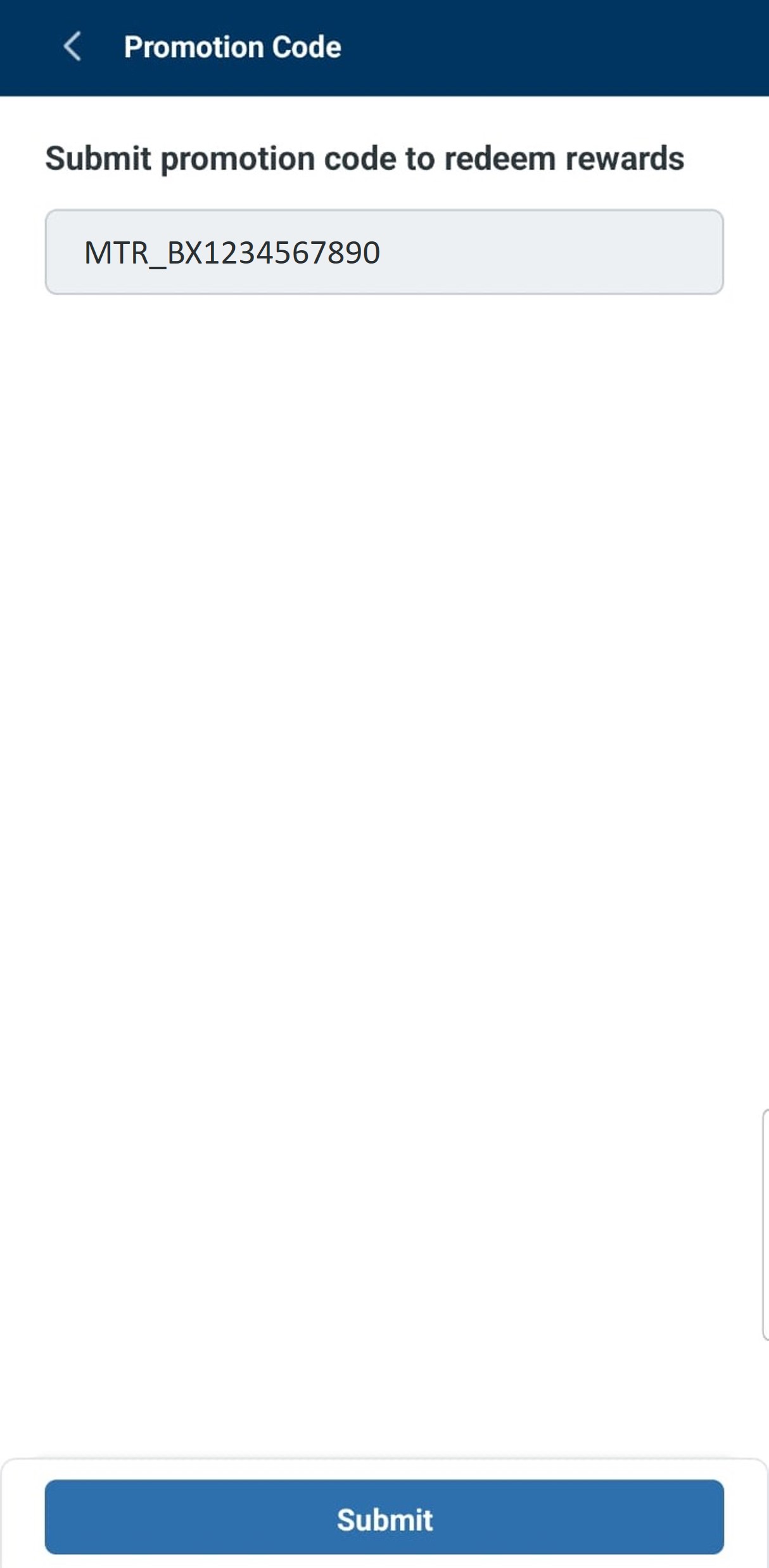
- The promo code will be pre-filled automatically. Click “Submit”, the MTR Points will be credited into your account instantly
- 5
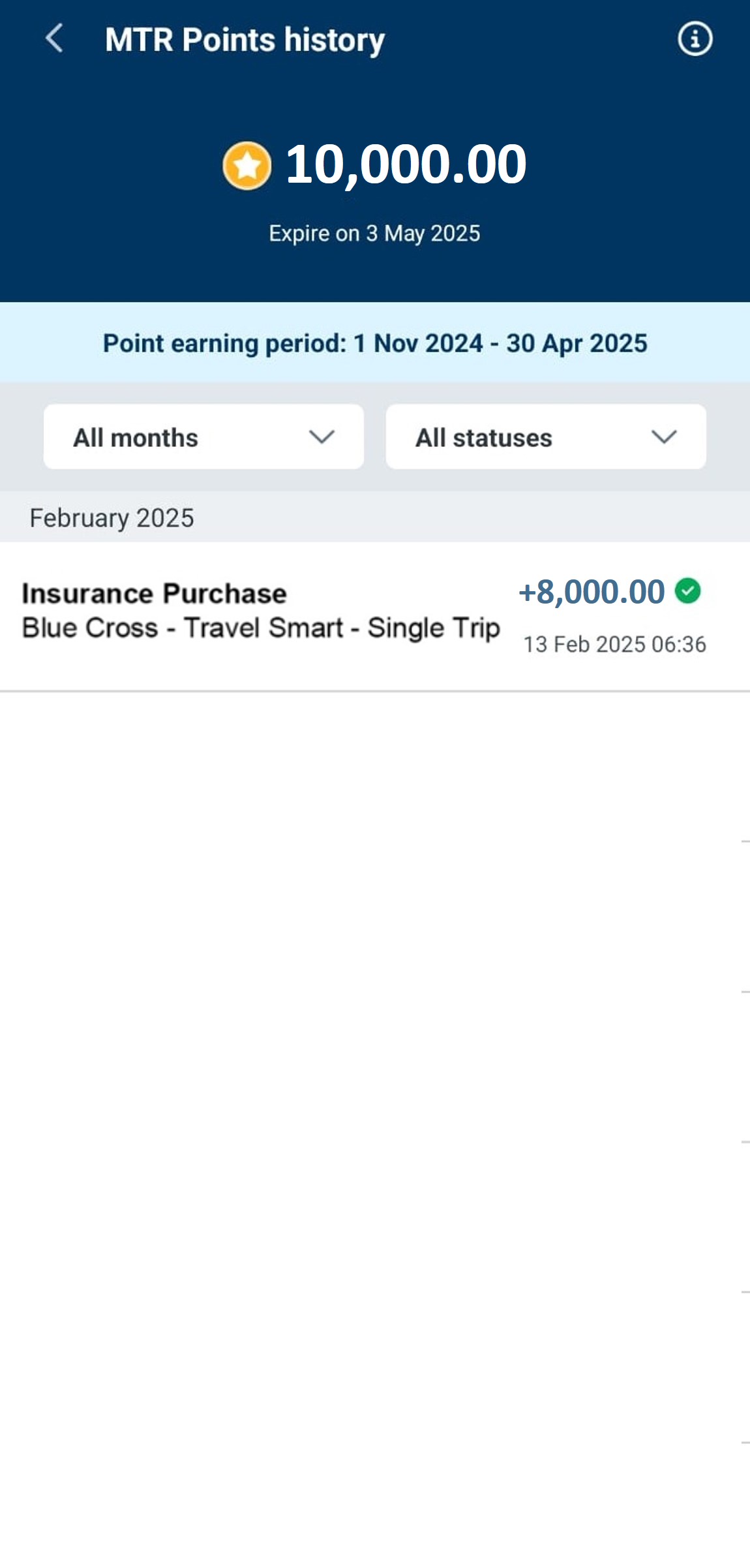
- You can check your MTR Points balance and expiry date at any time by clicking 'MTR Points Balance' on the Homepage
Receive promotional offer on Blue Cross website
1
Choose the relevant Blue Cross insurance product, fill in the required information, and apply the promotion code "MTR_BX" to receive the promotion offer
2
Upon completing the purchase, you will receive a confirmation email from Blue Cross with details on how to redeem your MTR Points
3
Click the link / scan the QR code included in the confirmation email issued by Blue Cross to be redirected to the MTR Mobile MTR Points redemption page
4
The promo code will be pre-filled automatically. Click “Submit”, the MTR Points will be credited into your account instantly
5
You can check your MTR Points balance and expiry date at any time by clicking "MTR Points Balance" on the Homepage