Blue Cross (Asia-Pacific) Insurance Ltd

Citibank

HSBC

Prudential General Insurance Hong Kong Limited

Trip.com
Promotion offers below are provided by Prudential General Insurance Hong Kong Limited ("Prudential").
From now until 31 May 2026, you can enjoy premium discount and earn extra MTR Points by purchasing the PRUChoice Home or Personal Accident Insurance offered by Prudential General Insurance Hong Kong Limited (“Prudential”) by clicking the links below.
Premium discount and MTR Points rewards
1. PRUChoice Home
20% off for first-year premium and 24,000 MTR Points (equivalent to 4 free domestic MTR rides)
Click here to discover more
2. PRUChoice Personal Accident
20% off for first-year premium and 30,000 MTR Points (equivalent to 5 free domestic MTR rides)
Click here to discover more
3. PRUChoice Personal Accident Plus+
20% off for first-year premium and 30,000 MTR Points (equivalent to 5 free domestic MTR rides)
Click here to discover more
【Please note that by clicking the links above, you will be redirected to Prudential’s PRUeShop, and you agree to access Prudential’s PRUeShop to learn more about or purchase insurance products. The relevant insurance products are provided by Prudential. MTR Corporation Limited only provides marketing service for products and does not engage in any regulated insurance activities, nor does it participate in the sale, solicitation, or recommendation of insurance products in any way. Any personal data entered on the website will not be transferred to MTR Corporation Limited. 】
Receive promotional offer
- 1
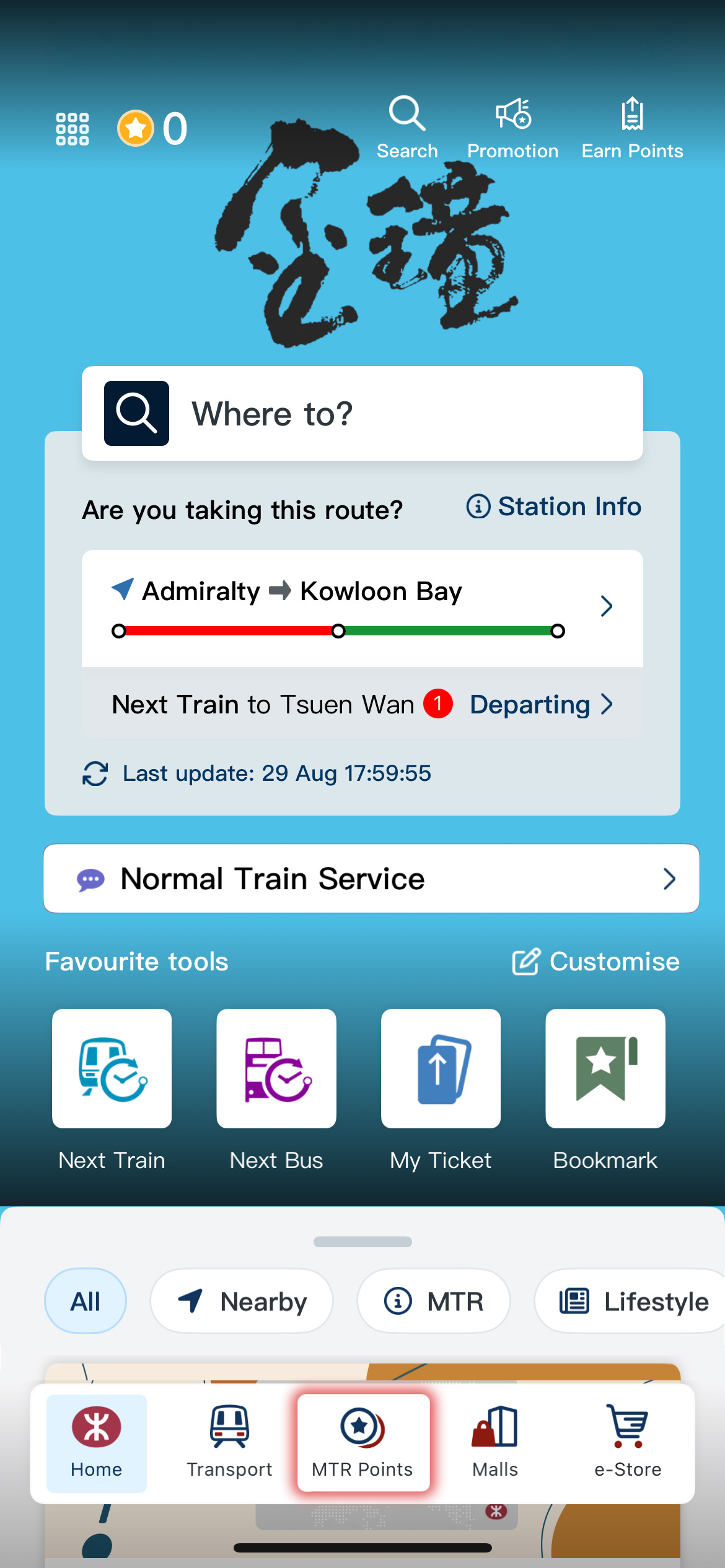
- Login to MTR Mobile homepage, enter "MTR Points"
- 2
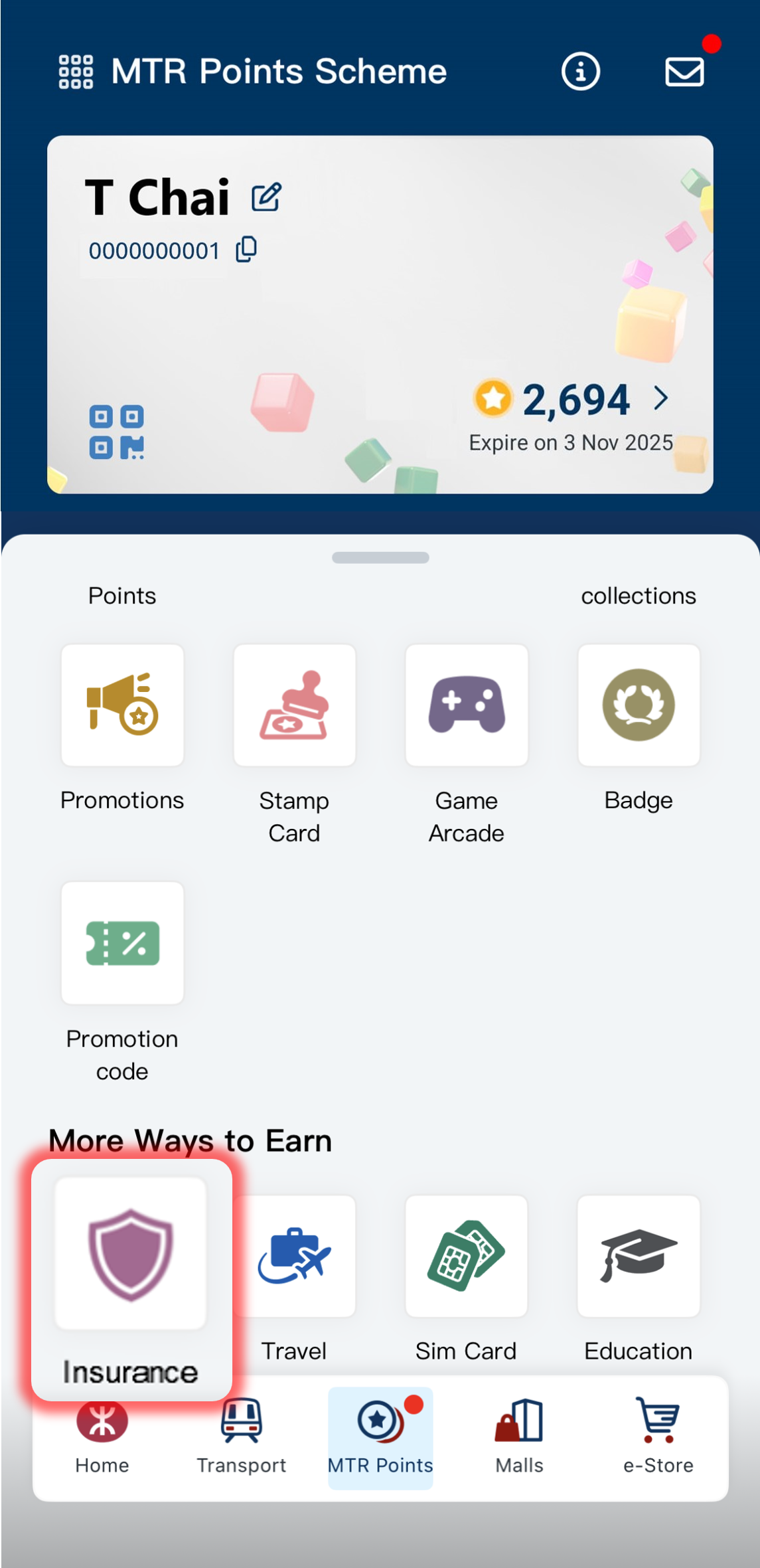
- Click "Insurance" under "More Ways to Earn" to access the Prudential PRUeShop
- 3
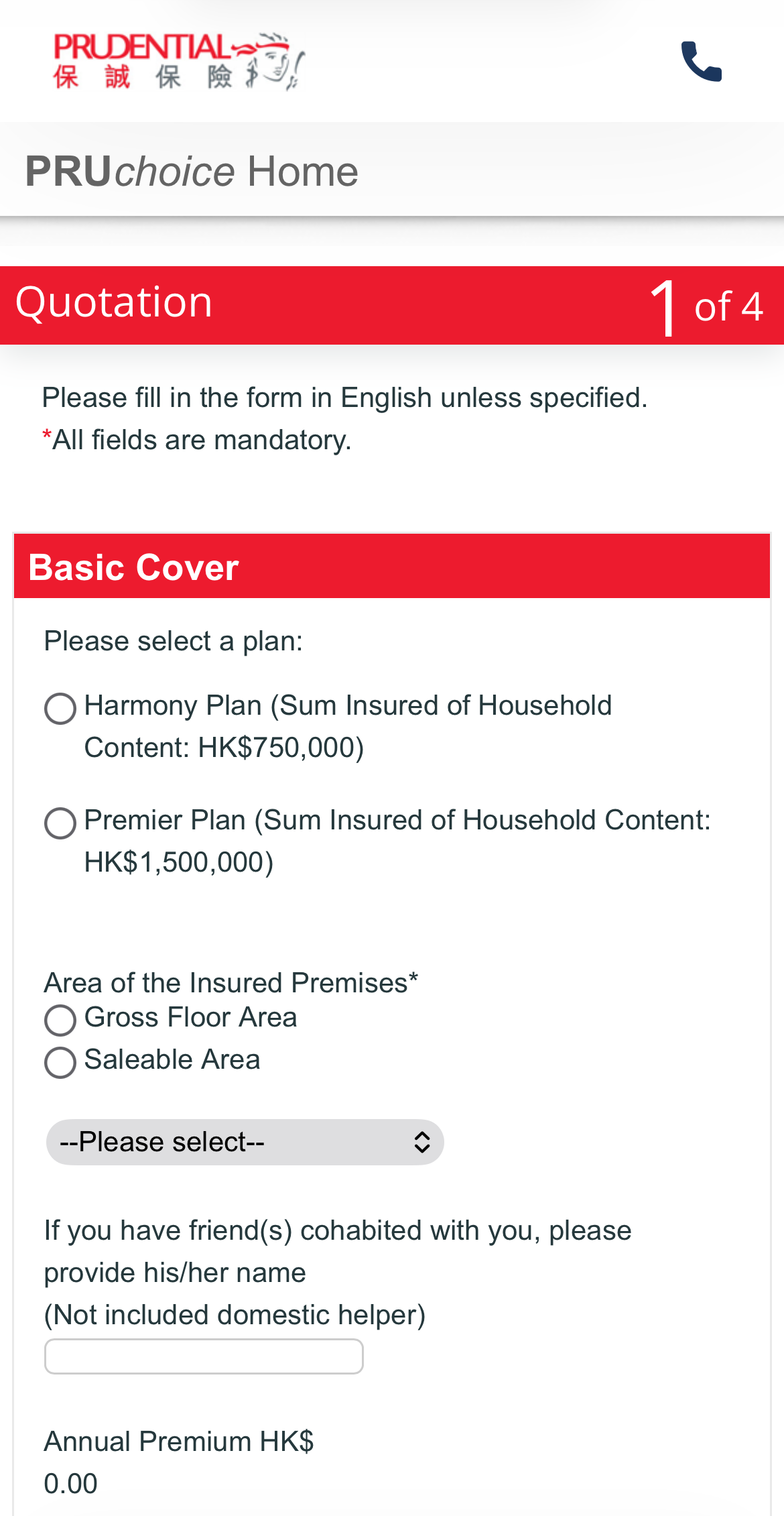
- Choose the corresponding Prudential's insurance product and fill in the required information. The premium discount and the net payment amount (after applicable discounts) will be shown on the "Payment" page.
- 4
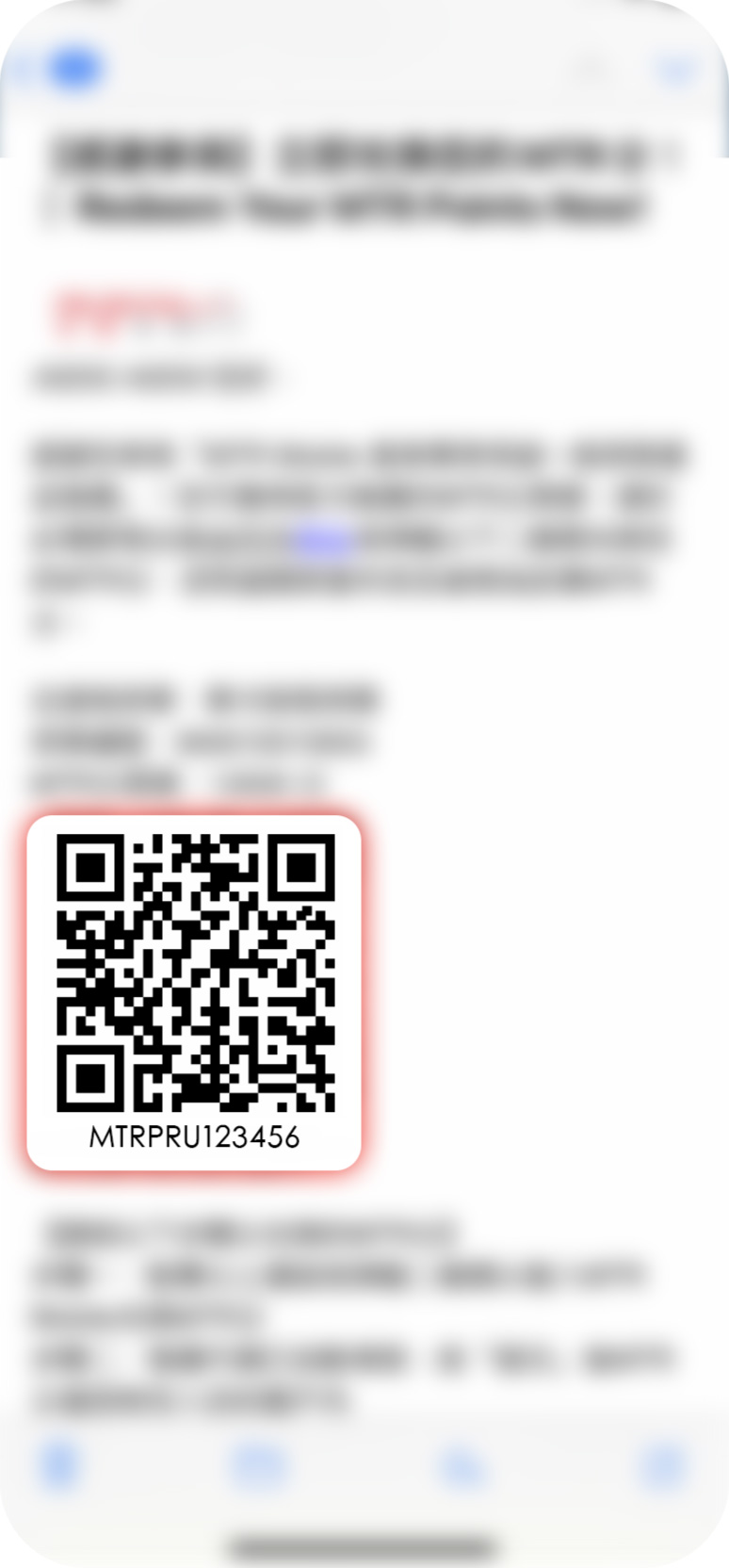
- Upon purchase, you will receive a policy confirmation email from Prudential within 15 minutes. Within 30 days after the policy is issued, you will receive another email from Prudential carrying the unique promotion code for your MTR Points redemption.*
Redeem MTR Points offered by Prudential on MTR Mobile
- 5
- Click the link / scan the QR code in the redemption email issued by Prudential to redirect to MTR Mobile for redeeming MTR Points
- 6
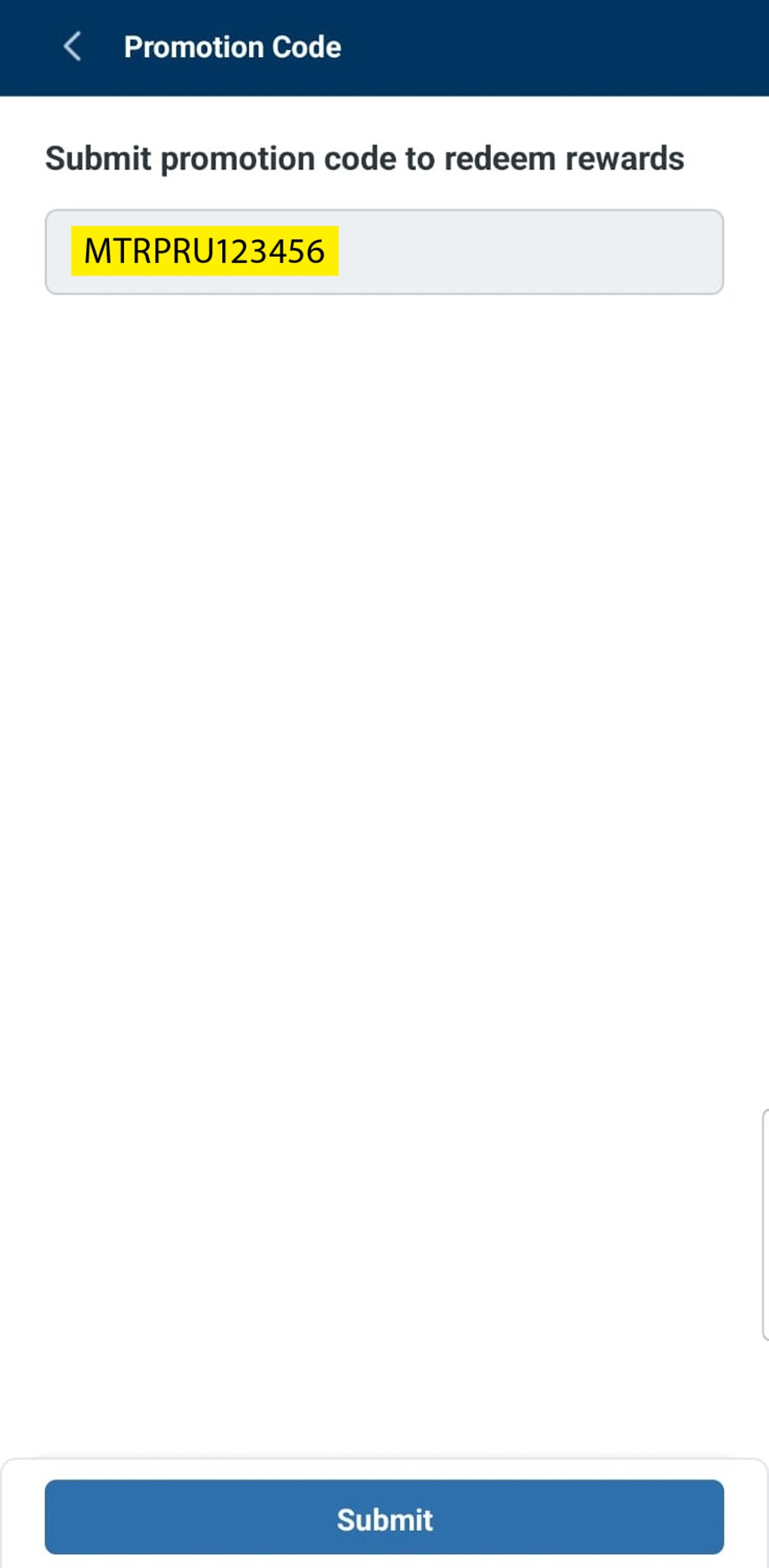
- The promotion code is automatically filled in. By clicking "Submit", the MTR Points will be credited into your account instantly.
- 7
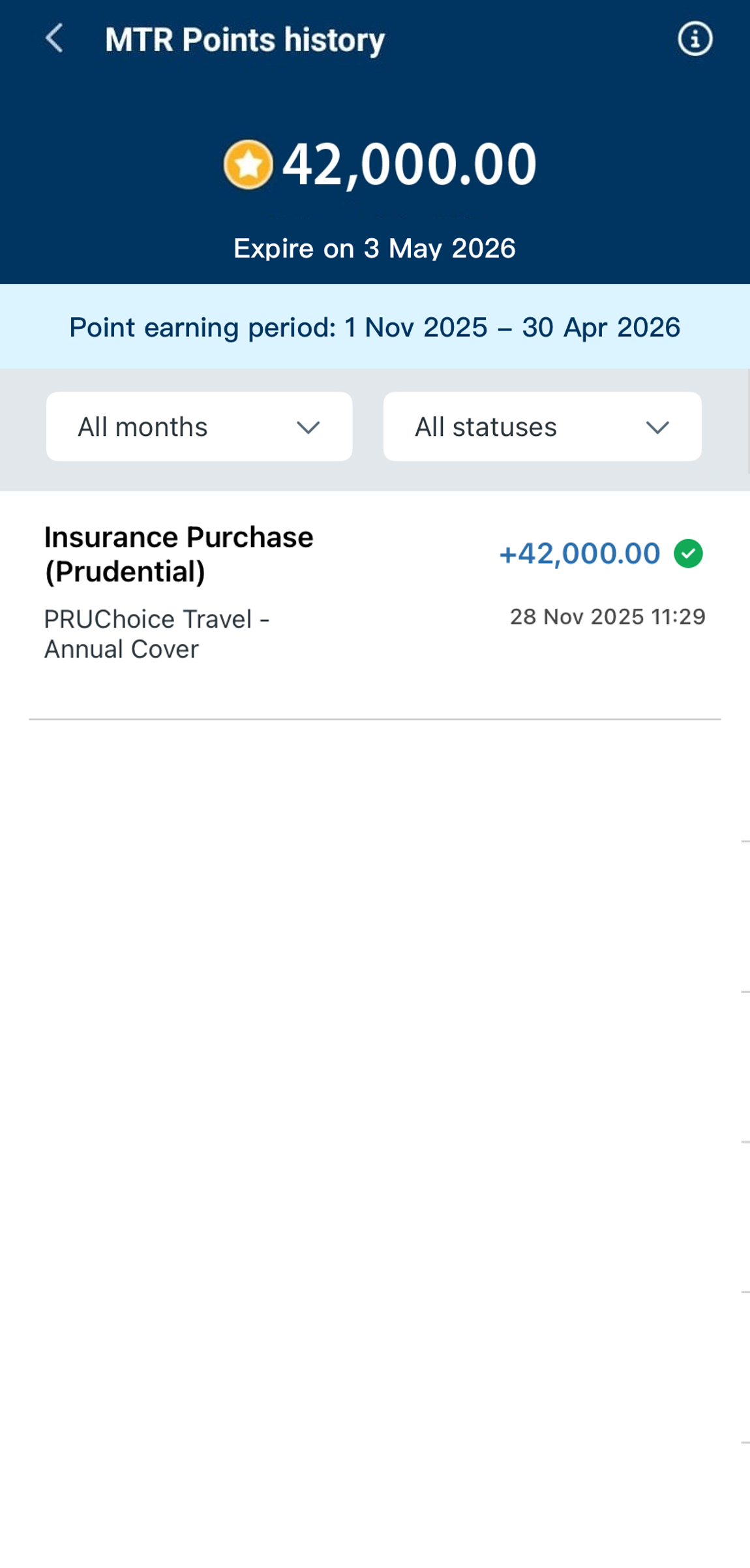
- You can check your points balance and expiry date at any time by clicking "MTR Points" on Homepage
Receive promotional offer
1
Login to MTR Mobile homepage, enter "MTR Points"
2
Click "Insurance" under "More Ways to Earn" to access the Prudential PRUeShop
3
Choose the corresponding insurance product and fill in the required information. The premium discount and the net payment amount (after applicable discounts) will be shown on the "Payment" page.
4
Upon purchase, you will receive a policy confirmation email from Prudential within 15 minutes. Within 30 days after the policy is issued, you will receive another email from Prudential carrying the unique promotion code for your MTR Points redemption.*
5
Click the link / scan the QR code in the redemption email issued by Prudential to redirect to MTR Mobile for redeeming MTR Points
6
The promotion code is automatically filled in. By clicking "Submit", the MTR Points will be credited into your account instantly.
7
You can check your points balance and expiry date at any time by clicking "MTR Points" on Homepage
For detailed product information, please refer to the terms and conditions set out in the product brochure and specimen policy on Prudential website.